Altia PhotoProto


You’re a talented graphics artist. Photoshop trembles at your touch. Take your art to the next level by turning static graphics into interactive prototypes with a few mouse clicks. That’s what PhotoProto does. It walks through your Photoshop file, exports all those carefully crafted images and references them in a file that the PhotoProto player displays. But this goes way beyond graphics. You simply name and arrange your layers and PhotoProto automatically assigns the appropriate behavior. Name a layer “button” and the images can be pressed like a button in the player. Name a set of screens, and a multi-view application comes alive. It’s incredibly easy. See for yourself with our free trial.


“I've always spent a lot of time writing text documents describing where each button should be, how objects should work... Now – with PhotoProto – it's just few clicks and I have a functional GUI prototype. All without leaving Photoshop – simply great!”

- Vaclav Krejci
  Author of the upcoming book Photoshop GUI Design


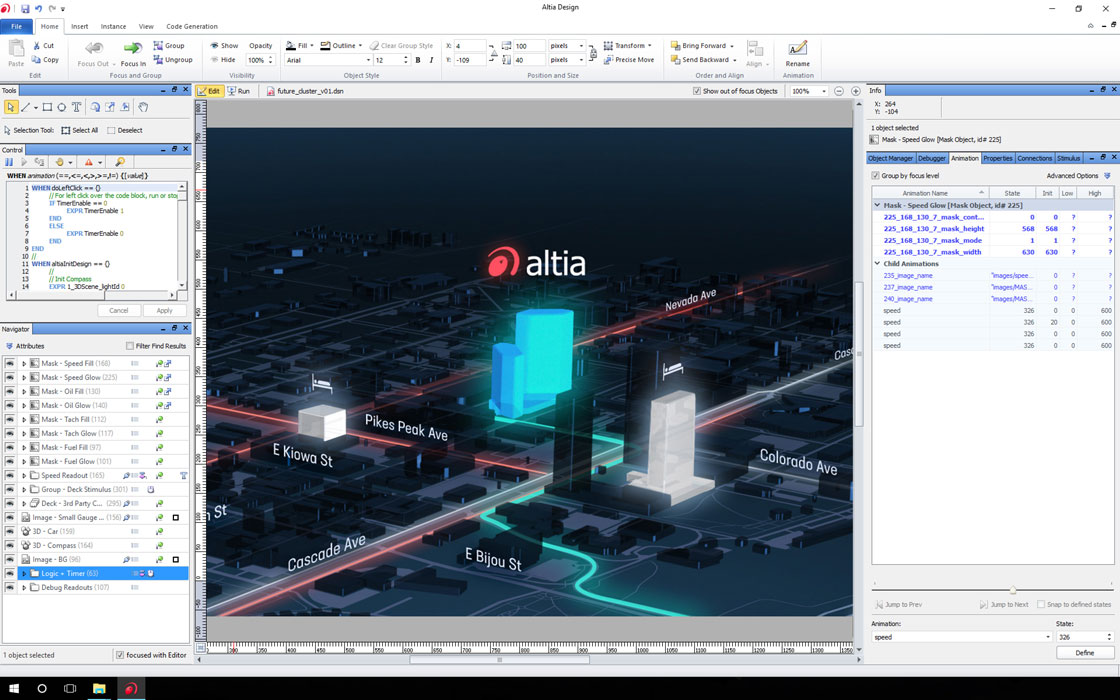
Use Adobe Photoshop to create your artwork. Name layers with GUI keywords and PhotoProto automatically creates a fully-functional interactive prototype.
Build a GUI from Photoshop


Companies like Chrysler, Visteon and Ford are already using PhotoProto for next generation dash displays and in-car infotainment, audio and navigation. They are taking their art off of the drawing board and into the boardroom. Try it risk free and see for yourself how they’re supercharging their Photoshop graphics.

You want to try and sell your concept to decision makers? Pulling that meeting-bound manager out of the hallway for 2 minutes to look over your shoulder while you change the visibility of layers in Photoshop isn’t going to do it.


Decision makers love the cool graphics and the gee-whiz innovations, but they just don’t have the imagination to visualize how great it could be. And who can blame them? Don’t undermine your slick interface with a clunky presentation. Now, if your manager could get his hands on the interface when he has some time – push buttons and navigate through screens – he’d be blown away. This is cool stuff.


User Interface Design Examples  

Want to get an idea of what PhotoProto can do? Check out some interactive demos right here.


GUI Software DeployedIf you want to go beyond prototyping, PhotoProto’s XML and perfectly trimmed PNGs (bitmap graphics) can be instantly imported into other products in the Altia tool chain. You can also pass these assets off to your programmers who can integrate them into their code. The choice is yours. Either way, what you design ends up in the final product exactly as you’ve built it – not mangled by the idiosyncrasies of programming languages.

One thing is for sure: when you see PhotoProto slice and dice your images and export them into a directory (with alpha channels intact), you’ll never want to do it by hand again. We’ll even let you try it, risk free.

Are there any alternatives to the PhotoProto approach? You might be able to find a willing programmer at your company who will build the prototype by writing code. But, let’s face it, this is a guy with other duties and he will have to squeeze the project in wherever he can. If he’s to get it done at all, he’ll have to use whatever widgets he has handy. You’ll end up with an uninspiring approximation of the prototype that looks and feels like a mundane, typical desktop GUI, not a great user interface.

Another approach is to outsource to a foreign technical team. They’ll have the cheap manpower to create a prototype, possibly even including your assets. The downside? If you’ve ever tried to describe what you want to the guy in the next building, you’ll have an inkling of the potential miscommunication nightmare you’re in for. Language barriers and unclear specifications (you like writing long, detailed specs, don’t you?) create late, costly prototypes that miss the mark. Cheap manpower isn’t so cheap after all.

If you’re lucky enough to have a web guru with multimedia authoring talents in your midst, there’s a third avenue. When he gets free time, he might be able to put together a prototype for you. But he’s a valuable resource and is in high demand. Everyone is trying to get a slice of his time and he is likely booked for weeks, if not months. You need the prototype today. In fact, you need a dozen versions of it today. (By the way, if you are that guru, PhotoProto gives you an opportunity to satisfy your clamoring colleagues in the short term – leaving the detailed multimedia development effort for projects that demand it.)

For all these alternatives, the creative time you spend on the prototype is dwarfed by the time you spend finding resources, writing specifications, explaining features and micro-managing the prototype development. Rather than getting out a few prototypes every 6 months, PhotoProto lets you get dozens of prototypes within days.

PhotoProto is the tool that gets your ideas air time – uncompromised by what a programmer finds easiest to implement. Your new concepts can have tremendous impact if they are easy to share and understand. PhotoProto maximizes your contribution to the success of your product and your company.


Want to see PhotoProto in action? We have a quick video that shows just how easy it is.


Testimonials


“The product is well-produced and easy to use, which is hard to achieve.

I design a lot of multimedia as well as traditional print and web designs, and I have always worked in Flash – but sometimes that requires complex work just to make simple interfaces and interactivity. What I see in PhotoProto is a way to create solid, interactive multimedia without the complexity that it normally demands – PhotoProto's methods are that slick.

I've seen applications before that work within Photoshop to create functional websites, Flash or other interactive media that requires programming, and more often than not it doesn't hold up to the old methods – but I think PhotoProto does, and that opens doors for a lot to Photoshop users everywhere who are trying to break into multimedia creation. If that isn't a jolt to the industry, I don't know what is.”

- Jeremy Schultz, Founding Member & Associate Editor
  Designorati:Photoshop


“I had to develop a prototype of automotive instrument panel features in short order. What would have taken me weeks through an outside design house was done in two days.”

- Dave Dale, Executive Director
  Tweddle Litho Company


“Without PhotoProto, I would have to mock up interfaces with HTML. That's a lot of HTML coding, and setting up tables to get around the browser's positioning idiosyncrasies, and the bookkeeping for all the little icons is a nightmare – especially if there are a lot of design refinements. With PhotoProto, it's all done in PhotoShop. There isn't the delay in going from idea to demo while you make a bunch of icons and modify your HTML code. You just make the changes in the PhotoShop layers, run the PhotoProto script, and you can quickly see the results.

PhotoProto eliminates the delay in going from idea to prototype. Instead of wasting time coding up a prototype interface, you just set up your layers in PhotoShop, and PhotoProto does the rest.”

- Lynn Grant
  Castle Development Group


“Wow, this is exactly the type of tool that I have been looking for, not only for personal use, but for my clients as well. I tested PhotoProto with Smart Objects as well as PNG and vector based graphics and to my surprise it all worked flawlessly!! I'm blown away!”

- Frank Gonzales, Control and Applications Engineer
  Lectrosonics, Inc.


Articles / Reviews

  • Photoshop Roadmap - “PhotoProto is a new, and as far as I know, never done before Photoshop plugin. It’s an unique concept that eliminates the pain of creating user-driven interfaces prototypes.”

  • FDLC - “Altia PhotoProto is an excellent tool that will transform your Adobe Photoshop artwork into working GUIs.”

  • Designorati:Photoshop - “PhotoProto allows for interactive buttons, sliders, knobs and wheels and supports media including images, music files, video (both live and not) and 3-D graphics, and can manipulate these in remarkable ways.”

  • Screen Online - “An interesting Photoshop Plugin named “PhotoProto” [by] Altia (Windows, MacOS X) permits the production of interactive prototypes for demo purposes.”

  • Synaptic Burn - “Altia has created a new Photoshop plug-in, called PhotoProto, that helps people make prototypes. I know a lot of designers live in Photoshop and this tool can be really helpful.”

  • Mac-NN - “The plug-in requires no scripting language or complex authoring environment knowledge, and the output is presentable to engineers as well as programmers who can use it directly within the desired software.”


Go to Altia Home
   

Check out this video that shows just how easy PhotoProto is.


Get more out of PhotoProto by learning more about one of the lesser-known Photoshop features.

Photoshop and the Layer Comps Feature


Learn the ins and outs of creating graphics for embedded systems.


Using Photoshop to Prepare Graphics for Embedded System Targets